Solutions
Platform
Customers
Resources
Solutions
Platform
Resources

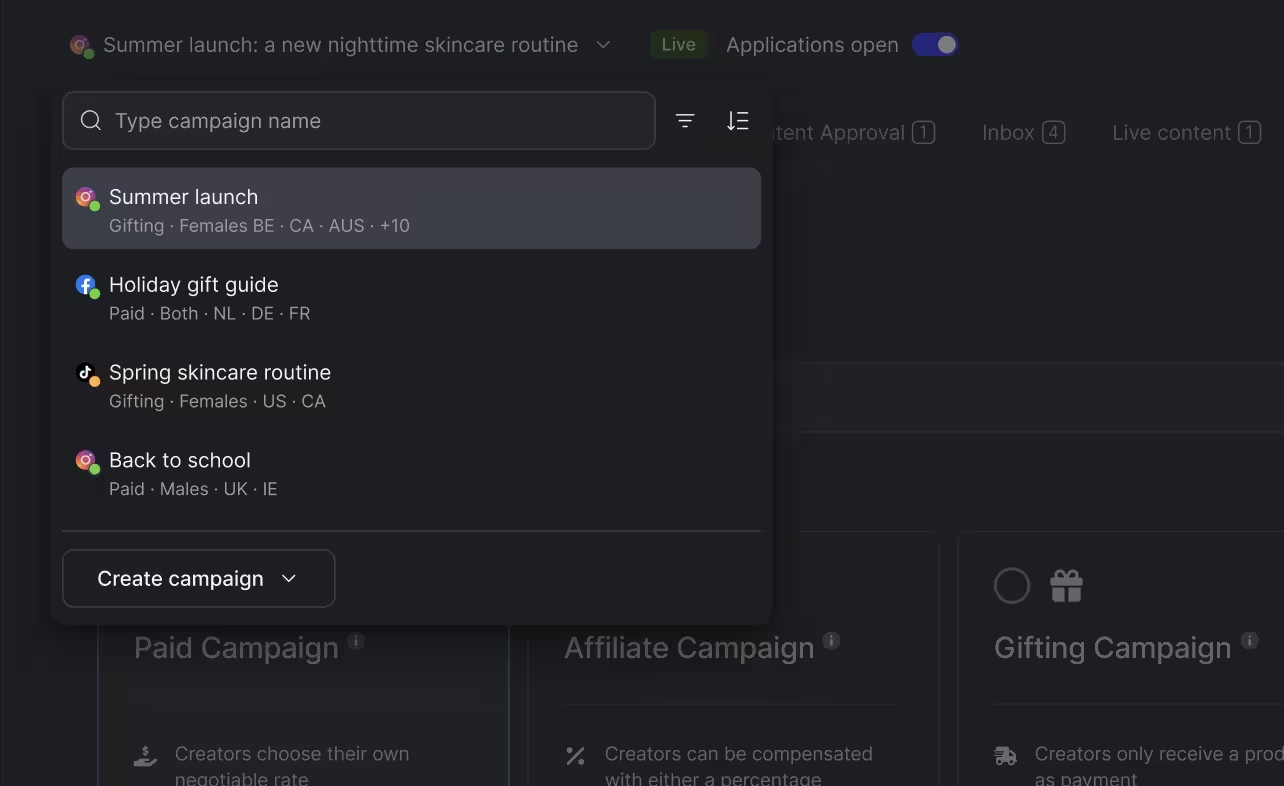
Running several creator campaigns? You can now switch between them from any campaign page.
However you like to work, through Copilot, your own AI assistant or hands-on in the platform, we're making each of them faster. This release is for the hands-on part. We rebuilt the campaign workspace so you can move between campaigns and get the work inside them done in fewer clicks.
Click the switcher at the top of any campaign page to:
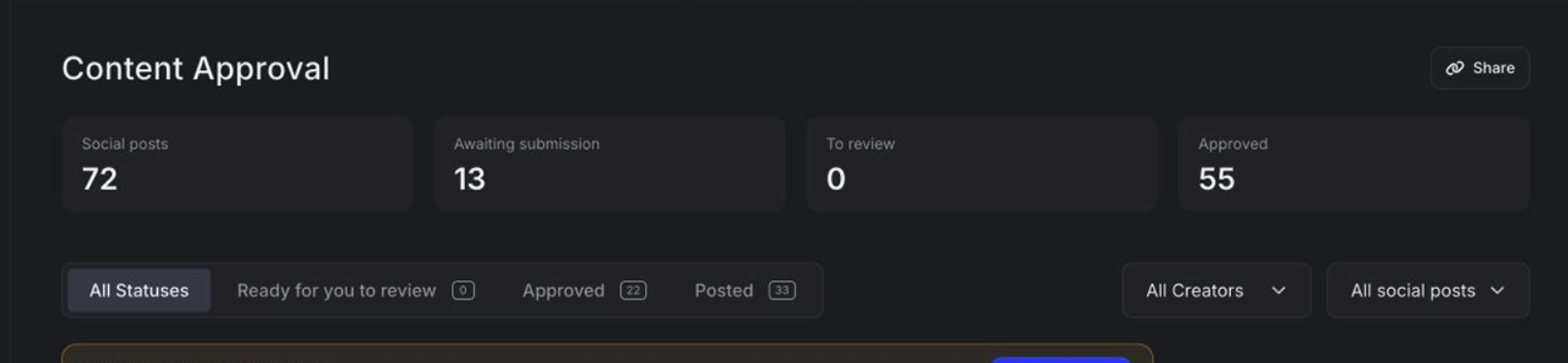
You now see the key numbers at the top of every campaign page, from applications to content approval. You spot what needs your attention before you open the details.
On Applications, you see applications, shortlisted, pending signature and contracted. On Content Approval, you see social posts, awaiting submission, to review and approved.
You get page tabs across the top of every campaign, and the same header on every page. In brief settings, you jump between sections from a side menu. From that header, you can also revert a campaign to draft or copy its public link.
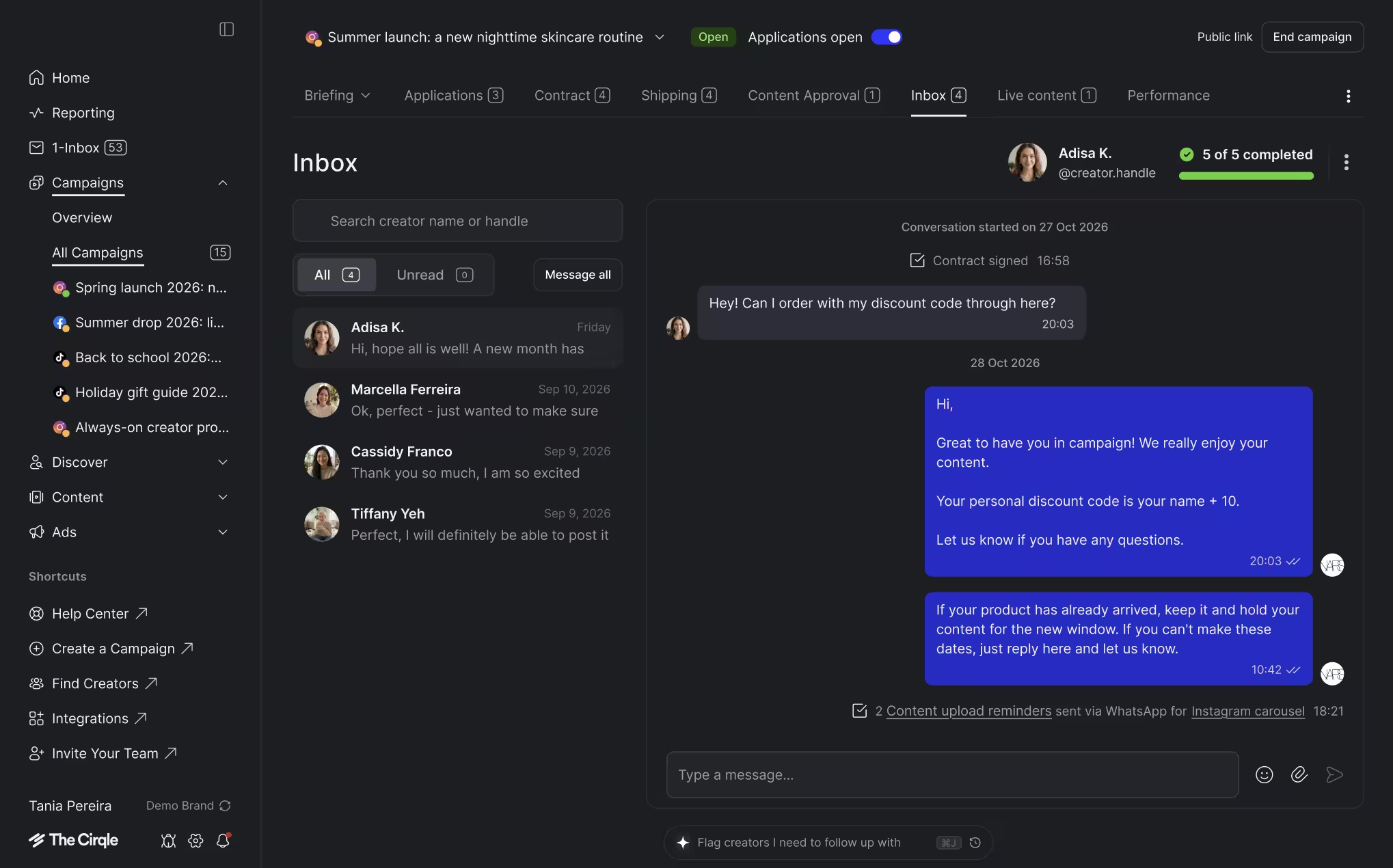
You can now message creators from inside each campaign. Open the campaign, pick the creator, and reply. Your main inbox still has every conversation across all your campaigns.
Use the new toggle in the campaign header. Switch it off and we take the campaign off the creator homepage. You can still invite creators directly. You'll find this toggle in the header now, in place of the pause button in brief settings.
Already on The Cirqle? Open any campaign and click the switcher at the top.
New to The Cirqle? 👉 Book a demo and we'll show you how fast your team can manage every campaign, live on the call.
Give your team the power and speed they need to find the right partners and grow your brand.